Restaurant POS, reservations, guests and marketing One platform.
Every venue.
APOS is the POS and guest experience platform for hospitality. Run point of sale, reservations, table seating, guest relationships and marketing in one place, with every visit building the same guest record.
Already with APOS? Log in

Fri 7:30 pm · Anniversary
From the first booking to the next visit.
Keep service moving with the right information at the right moment, and build guest relationships beyond a single transaction. Follow Sarah’s visit and pick a moment to see what each device adds.
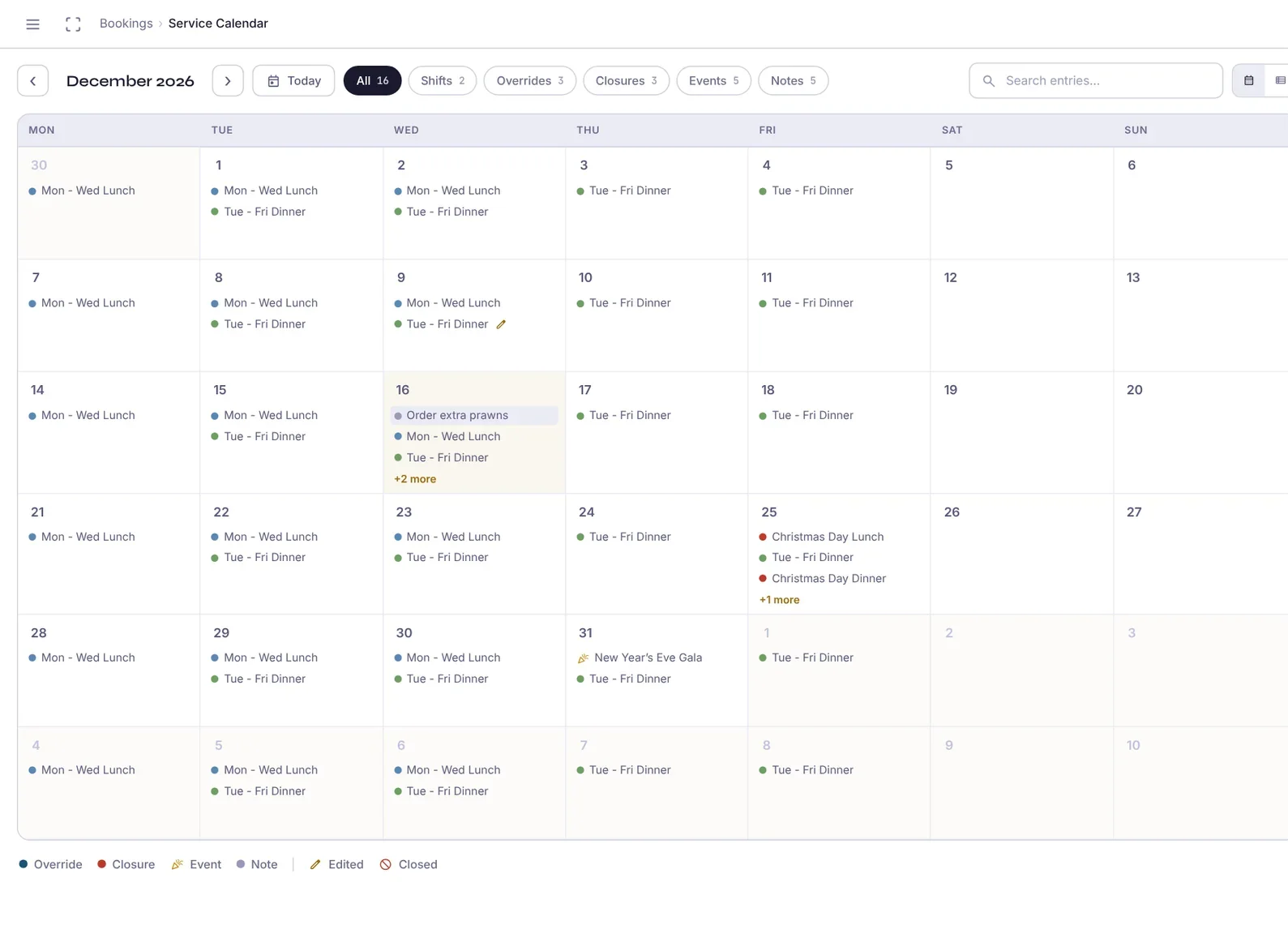
Bookings from your website, phone and walk-ins land in the same calendar as your shifts, closures and events.
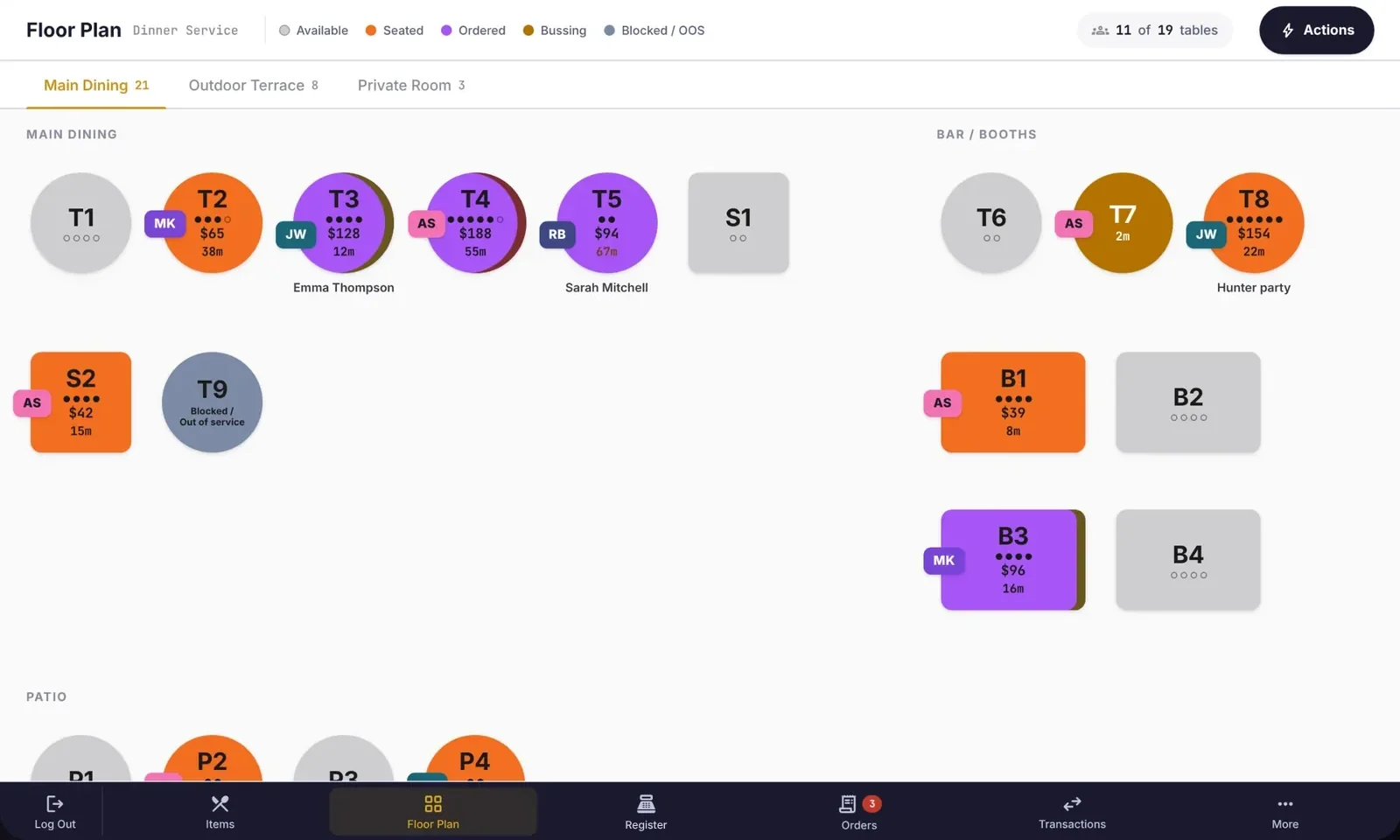
Colour-coded tables show spend, covers, time seated and the server on every table.
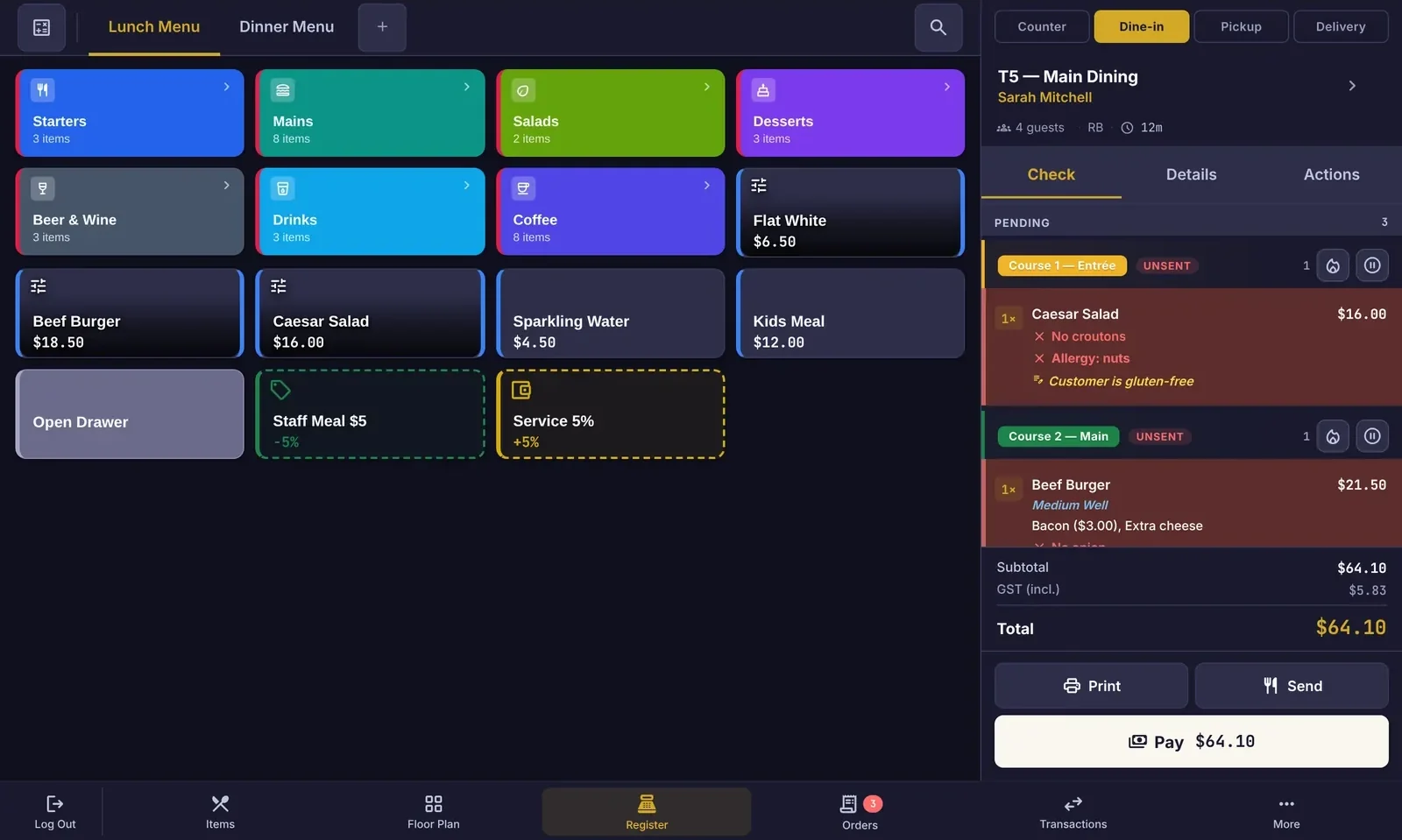
The same app runs at the counter and, in landscape, as the waiter tablet. Hold course 2 and fire it when the table is ready.
- Course 1 · Starter
- 1× Caesar SaladNo croutonsALLERGY: NUTS
- Course 2 · Held
- 1× Beef BurgerMedium well · Bacon · Extra cheese
- 2× Flat Iron Steak1 rare, 1 medium
- 1× Fries
- 1× Kids Meal
- 1× Banh MiNo chilli
- 2× Spring Rolls
Each item is routed to the station that makes it, on a screen, a printer or both. Late tickets turn amber, then red.
Paid with APOS Payments
Split by seat, by item or evenly. Card and cash both write back to her profile, with the tip and receipt.
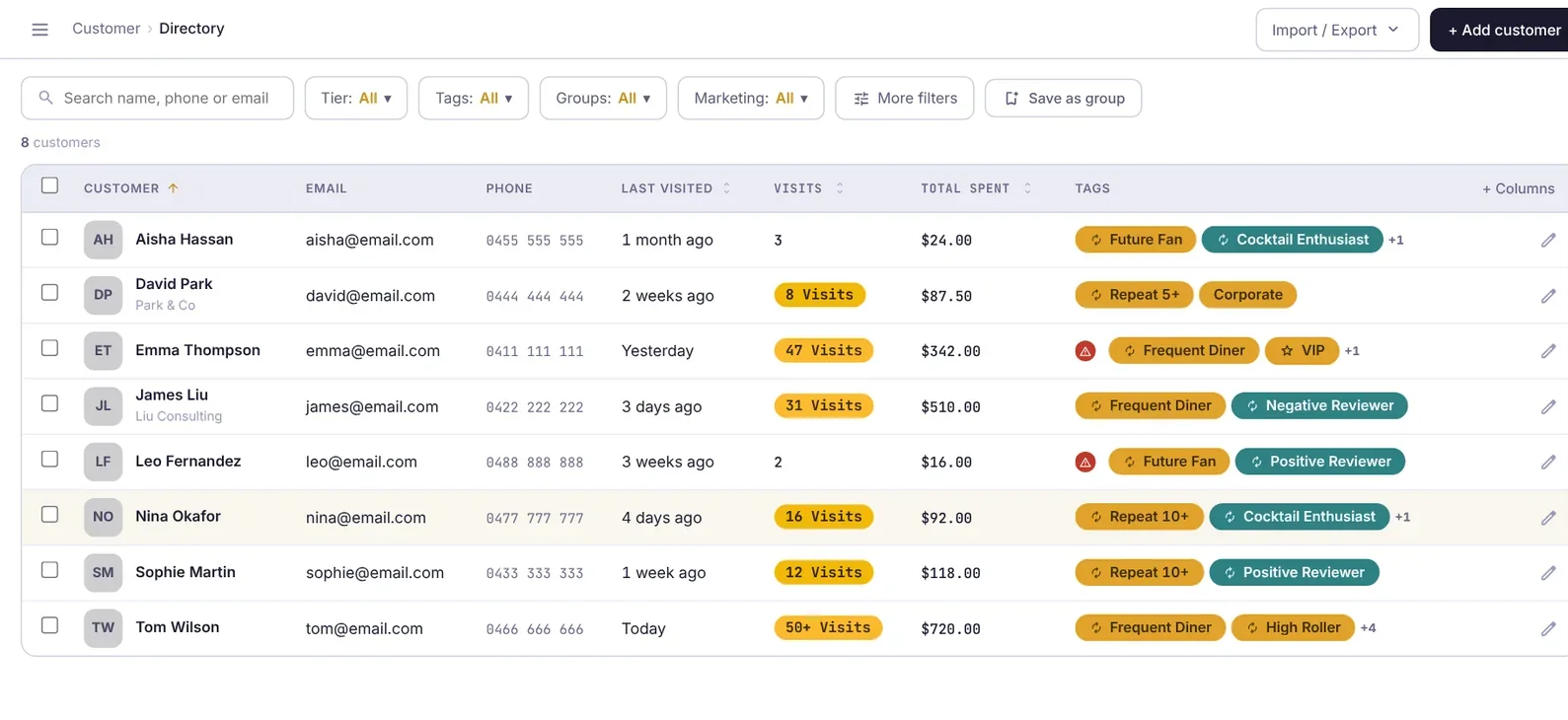
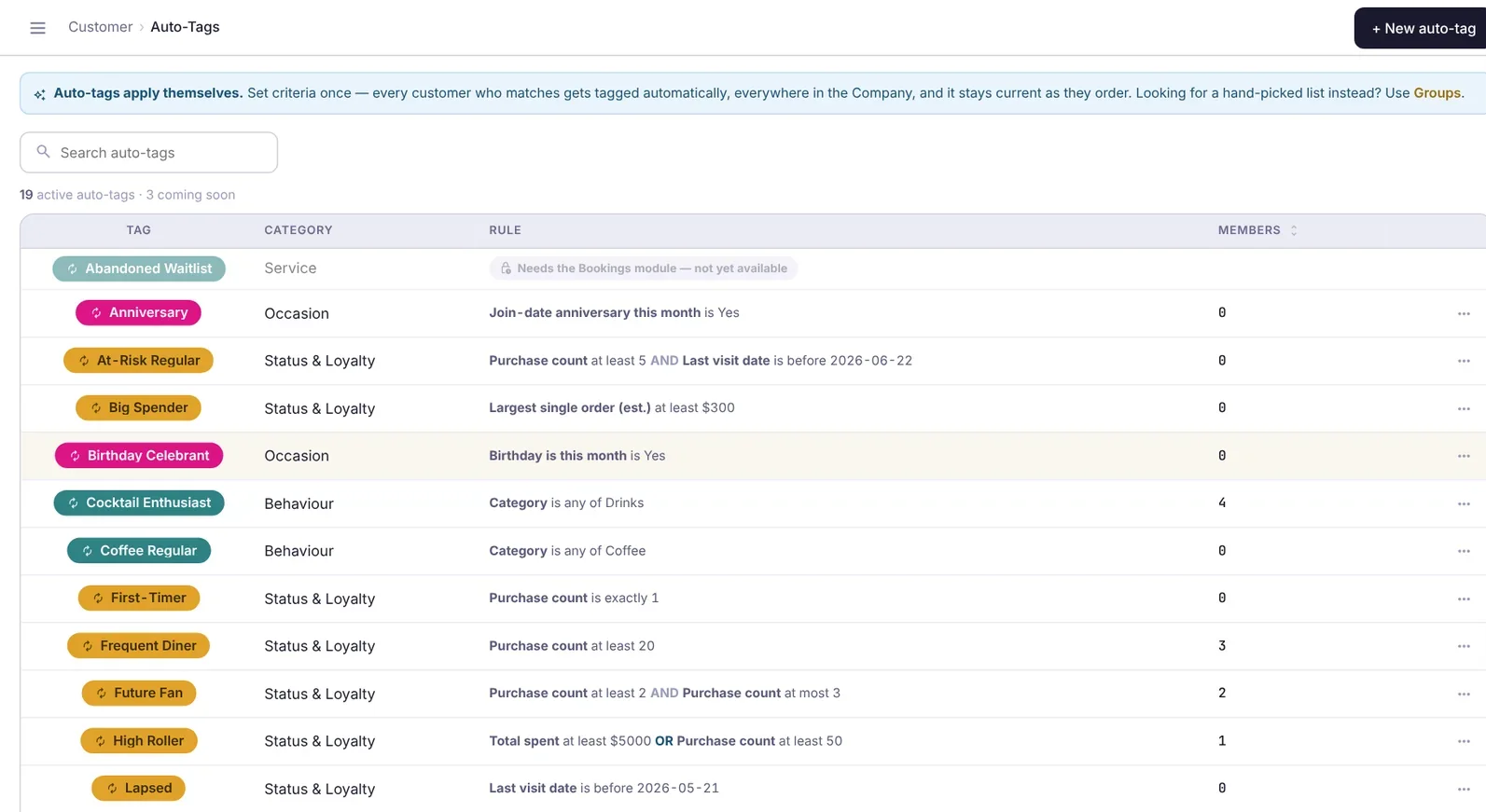
Auto-tags group guests by what they do, then campaigns reach the right people: regulars, lapsed guests, birthdays this month.
Run service. Fill seats. Bring guests back.
Three jobs most venues juggle across separate apps. APOS does all three, with one login and one bill.
Run a faster service, front and back.
A register your team learns in one shift, a waiter tablet for the floor and kitchen screens that keep every station in step.
- Colour-coded menu tiles with modifiers, cooking preferences and allergy notes
- Courses you can hold and fire, and checks you can split, move, merge and transfer
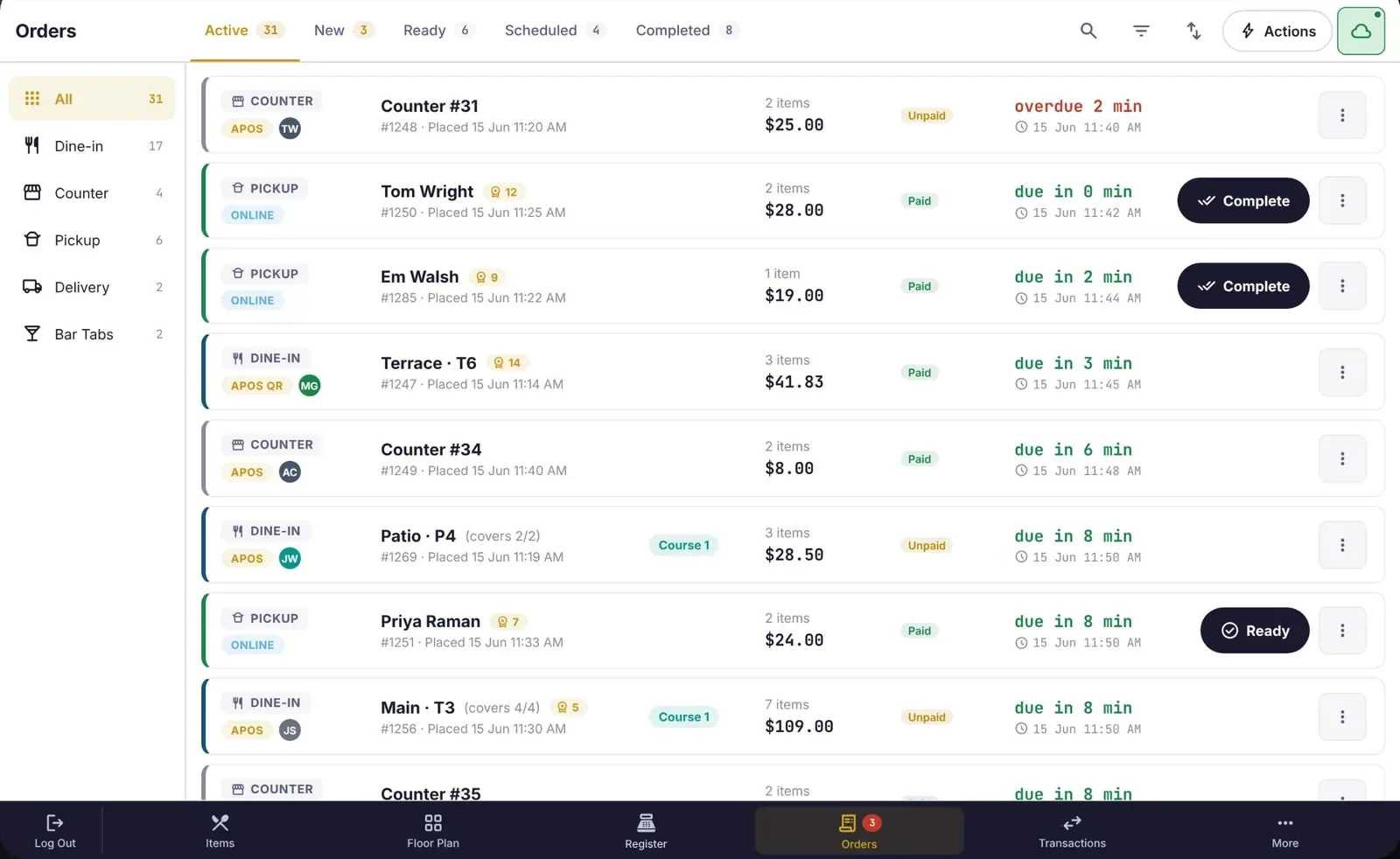
- Dine-in, counter, pickup, delivery, QR and online orders in one queue
- Tickets routed by station to kitchen displays and printers
Fill every seat, then turn it.
Reservations live inside your POS, so the floor plan, the booking and the bill are always the same table.
- Bookings by shift, with a service calendar for closures, events and one-off changes
- Table combinations and pacing for each shift
- Waitlist, deposits and card holds to cut no-shows
- Priced experiences and ticketed events
Know every guest. Bring them back.
Profiles fill in on their own from bookings, orders and payments. Auto-tags sort guests into groups you can market to.
- Visits, spend, favourite items, notes and allergies on every profile
- Auto-tags such as Regular, Big spender, At-risk and Birthday this month
- Email and SMS campaigns to tagged guests and saved groups
- Post-visit feedback that flags unhappy guests before they post a review
Internet down? Keep trading.
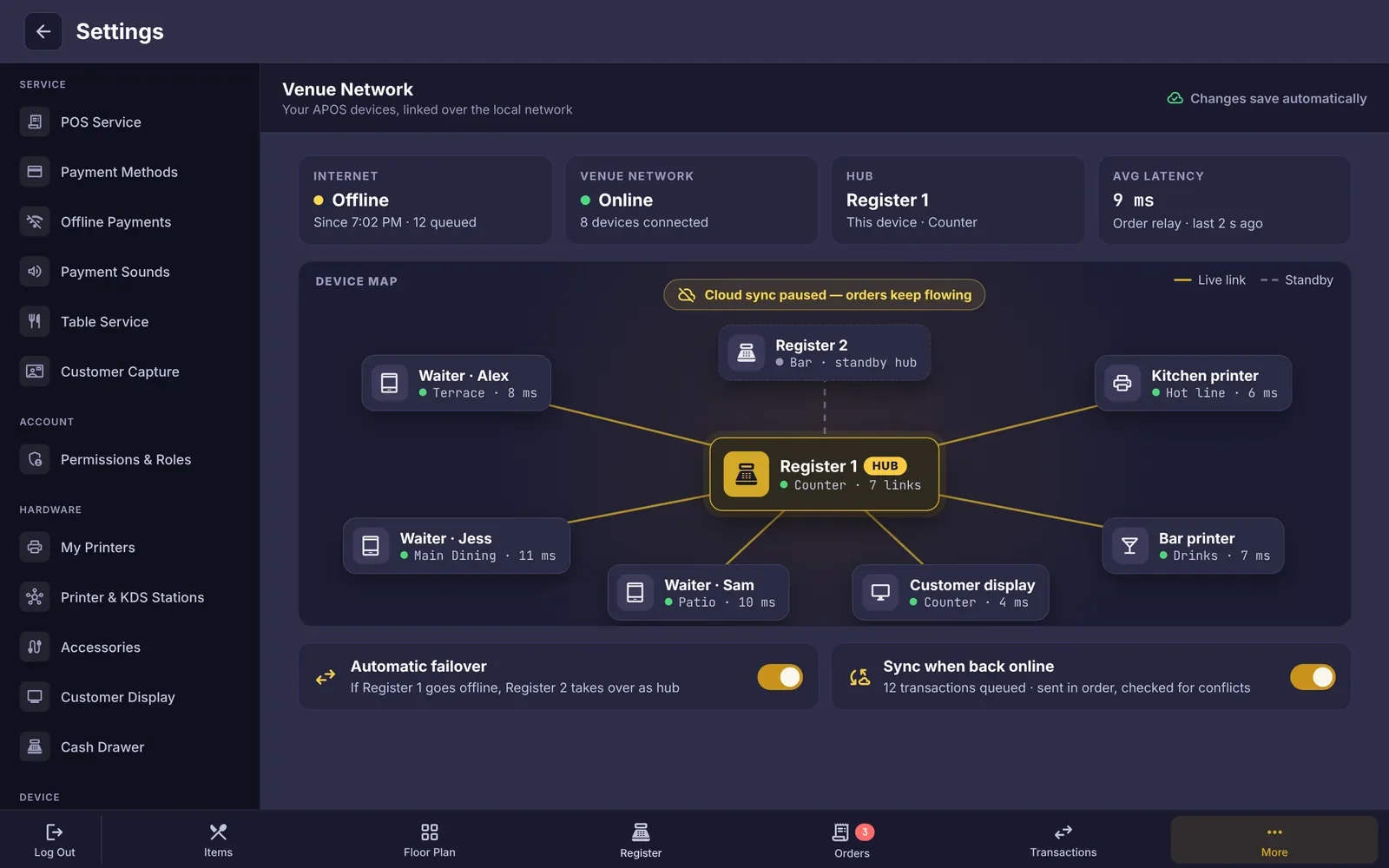
Your APOS devices talk to each other over the venue’s own network. When the internet drops, orders still reach the kitchen, tables still update and payments are held safely. Everything syncs to the cloud, in order, the moment you’re back online.
- One register acts as the hub. If it goes down, another takes over automatically.
- Cash keeps trading. Offline card payments, if you switch them on, queue and sync in order with conflict checks.
- Optional 4G/5G failover router keeps cloud sync alive through an outage.
Set up for how you serve.
Cafés & quick service
Fast counter flow, pickup times and QR orders in the same queue as walk-ins.
See cafésRestaurants & fine dining
Courses, bookings, pacing and the guest notes that make a regular feel known.
See restaurantsBars, pubs & breweries
Open tabs, fast reorders and a floor plan that keeps up on a Friday night.
See barsHotels
Restaurant, bar, events and room service on one guest profile.
See hotelsNightlife & entertainment
Ticketed events, packages and high-volume bar service.
See nightlifeHospitality groups
Shared menus, place-by-place roles and reporting across every venue you run.
See groupsLive for your next service, not your next quarter.
- Day 1 · 10 minutes
Create your account
Add your business, your place and your service types in APOS Portal.
- Day 1
Bring your menu across
Scan your menu with APOS AI, or send it to us and we’ll build it.
- Days 2–5
Plug in and go live
Enrol each device with a one-time code, set your floor and stations, and train your team with a short guided session.
Launch Partners. We’re opening country by country. Register interest and we’ll tell you when APOS opens in your country.
Register interestQuestions venues ask first
Do I need new hardware?
No. APOS runs on Android 13 or later tablets that meet our minimum spec, and on the APOS Register Kit if you’d rather have purpose-built hardware. We’ll check your current tablets, printers and cash drawer before you switch.
Can I keep my current payment provider?
APOS Payments is built in and is the simplest option. Where APOS Payments isn’t available yet, talk to us about connecting your current payment provider.
What happens when the internet drops?
Your devices keep working together over your venue’s network. Orders still reach the kitchen and card payments are queued, then synced in order when you’re back online.
Who owns my guest data?
You do. Guest profiles, bookings and marketing lists belong to your business and you can export them at any time. Ask us about data residency for your country.
How long does switching take?
Most single venues go live within a week. Groups usually roll out one place at a time, starting with a pilot venue.
Run your whole venue from one place.
Start with APOS today, or let’s walk through your venue together. We help you bring your menu across, enrol your devices and train your team.